Setup before using app on MacOS
Matter Custom Fabric Setup Notice
Matter Utilities needs an Apple configuration profile so Matter Custom Fabric pairing can work on this Mac. The profile only enables a local Bluetooth setting required by this app's Matter workflow. It does not give Matter Utilities or anyone else remote control of your Mac.
- Required for Matter Custom Fabric pairing
- Only enables a local Bluetooth setting
- Does not remotely manage your Mac or upload your Matter data
Why this profile is required
macOS blocks the Bluetooth operation required for Matter Custom Fabric pairing unless this Apple configuration profile is installed. Without it, Matter Utilities cannot start pairing and may show Bluetooth or pairing timeout errors.
What the profile does
The profile enables a local Bluetooth setting on this Mac that allows Matter Utilities to communicate with Matter-compatible accessories during pairing, commissioning, diagnostics, inspection, and control.
What the profile does not do
This profile does not enroll your Mac into Mobile Device Management, does not create a remote administrator, does not remotely manage your Mac or other Apple devices, does not monitor other apps, and does not access your personal files.
Your Matter data
Matter accessory data, including QR onboarding payloads, manual pairing codes, commissioning status, endpoints, clusters, attributes, transaction responses, and local diagnostic logs, is stored locally on this Mac and used only inside Matter Utilities.
What is not uploaded
Matter Utilities does not upload Matter QR codes, manual pairing codes, commissioning credentials, accessory attributes, transaction responses, personal files, or enterprise data.
Crash reports and app diagnostics
Matter Utilities may collect limited crash reports and aggregated app diagnostics, such as app version, platform, operating system version, crash events, and general feature reliability. This information is used only to improve app stability and user experience.
Consent and sharing
User data will not be collected without your consent. Matter accessory data is stored locally on this Mac and will not be shared with third parties.
Profile installation and removal
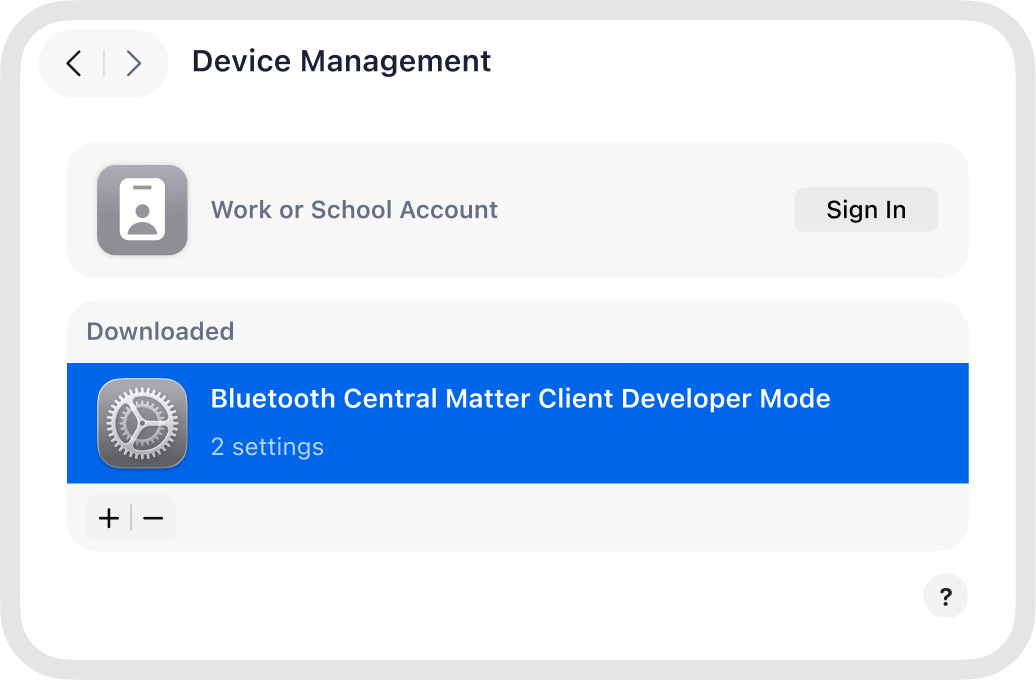
The profile is installed manually by you through macOS System Settings. Matter Utilities does not install the profile automatically. You can review the profile before installing it and remove it later from System Settings → General → Device Management.
You need to perform setup before adding the device to Matter.
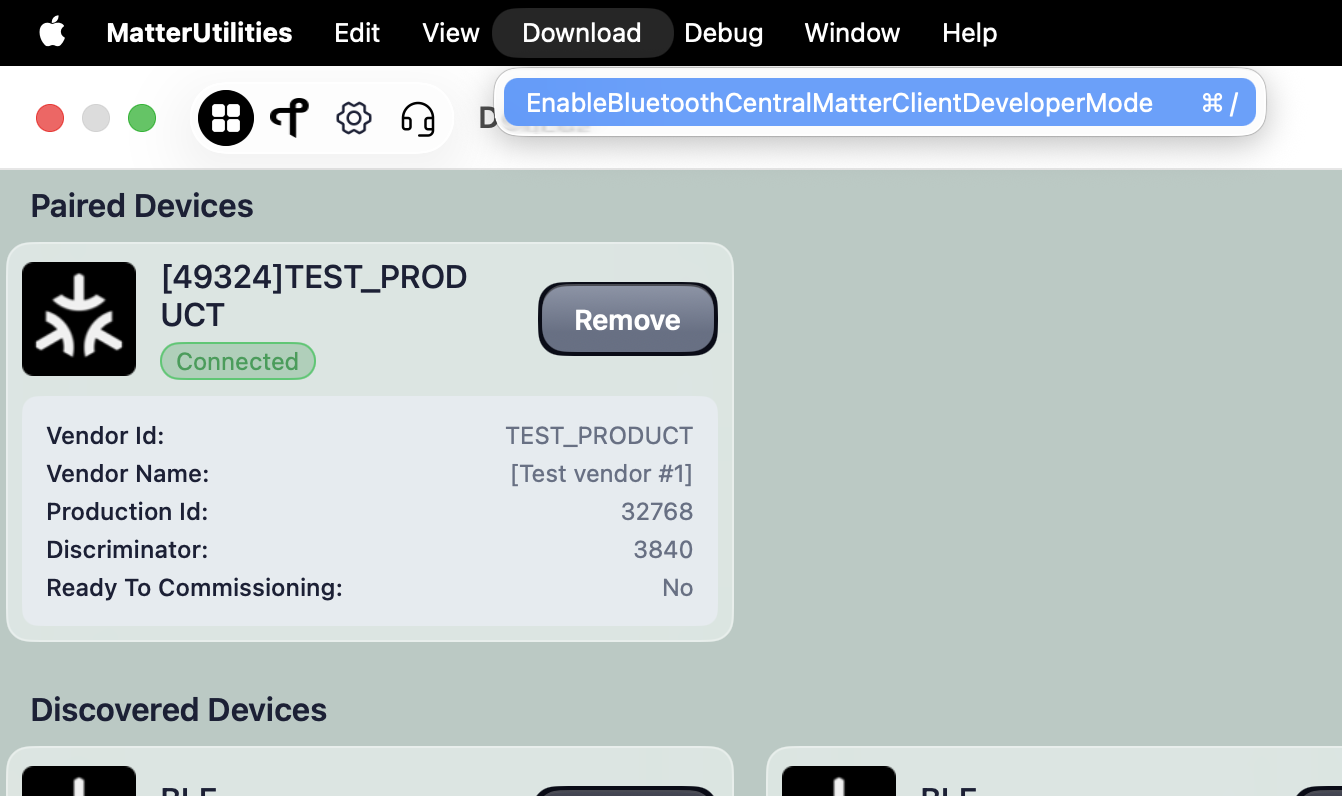
Step 1: Click the “Download” button from app's Menu or click here to download Bluetooth Central Matter Client Developer Mode Profile and install it on your MacBook.
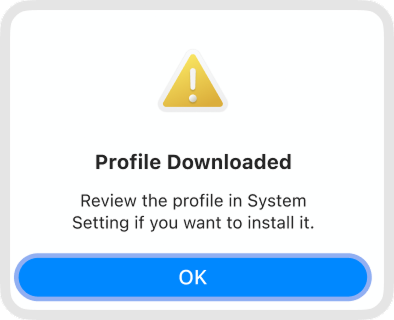
Step 2: Double-click the downloaded file; if a pop-up like the one above appears, the installation was successful.
Step 3: Go to Settings → Profiles → Double-click the “Bluetooth Central Matter Client Developer Mode Profile”
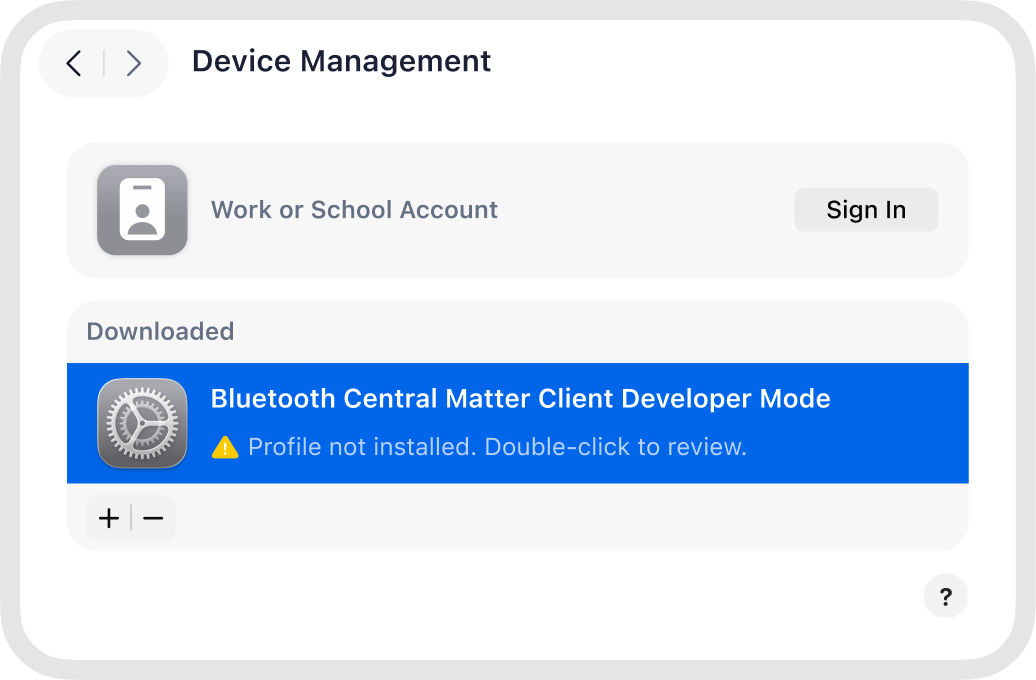
Step 4: Select “Install” and complete the installation successfully as shown above.